Free Republic
Browse · Search
General/Chat
Topics · Post Article

Skip to comments.

Vanity FYI - wish I knew knew how I configured FR, but I like this view
FR ^ | 9-9-09

Posted on 09/09/2009 11:29:02 AM PDT by STARWISE

Bottom half

I'm not a techie at all. I did this over a year ago, and it really gives an instant view of FR. Because I don't have a clue what I did .. I don't dare make changes I may want to make for fear of screwing it up entirely ... LOL.

I just remember it was really confusing, and after many frustrating different color and location choices, this turned up and works really well.


TOPICS: Chit/Chat; Computers/Internet; Weird Stuff
KEYWORDS: configuresidebar; fr; freerepublic; frontpage
Not being a techie, and knowing there may be some as klutzy as I am, thought this may provide some help. And maybe I'm the last one figuring this out ... LOL. It's probably very clumsy and naively elementary to most of you, but not being born with wired brains like you Gen Y's, it takes we boomers much angst to figure this stuff out.

I was always confounded trying to save and post pictures from PDF files on the web, web page screencaps, etc. that don't show photo properties.

I fiddled and experimented and finally figured out this way .. don't ask me how .. and it's been working well.

I either screencap it (control + print screen button - upper right of keyboard) and copy and paste it to a new Word Doc .. or copy and paste a photo to a Word doc, then save it like this, after titling and saving it:

Go to: My computer

Go to Drive C:

Go to Documents/Settingss

Go to the name (my name, administrator, owner, etc.) where your data are. Mine's under my name.

Go to Local Settings

And title and save it there.

It's the only way I've been able to save these web items without going thru the laborious process of printing, scanning and saving to my computer, then uploading to my photo sharing site. So I go to Local Settings and that item to upload to my photo sharing site so I can post it online.

Just trying to save them in My Pictures as a picture to my photo sharing site did not work.

I don't know if I'm going thru unnecessary steps and there's other simpler ways, but this is what I finally found works for me.

As an example, I saved this picture which was in a pdf online document .. there were no properties to right click and post, so I followed the method above and was able to get the photo to my photo sharing site to post here.
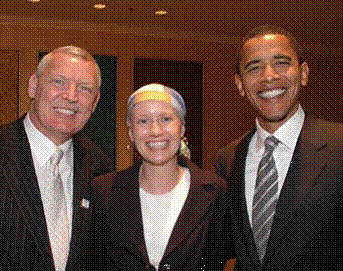
Back to your regularly scheduled programming ... ;)


1 posted on 09/09/2009 11:29:02 AM PDT by STARWISE
[ Post Reply | Private Reply | View Replies]

To: STARWISE

http://www.freerepublic.com/perl/manage-blocks


2 posted on 09/09/2009 11:36:33 AM PDT by rabscuttle385 (So many Communists, so little time.)
[ Post Reply | Private Reply | To 1 | View Replies]

To: rabscuttle385

Yes .. thanks .. and that’s the page
that drives me cuckoo .. LOL.


3 posted on 09/09/2009 11:37:44 AM PDT by STARWISE (The Art & Science Institute of Chicago Politics NE Div: now open at the White House)
[ Post Reply | Private Reply | To 2 | View Replies]

To: STARWISE

That’s how mine is set up.

I like it.


4 posted on 09/09/2009 11:38:53 AM PDT by humblegunner
[ Post Reply | Private Reply | To 1 | View Replies]

To: STARWISE
Looks good. I'd like a mobile version, just the breaking news or a list of links to just show a certain block formatted for the little screen.
5 posted on 09/09/2009 11:44:38 AM PDT by Gun142 (Where Will You Be When You Get Where You're Going? -- Jerry Clower)
[ Post Reply | Private Reply | To 1 | View Replies]

To: penelopesire; seekthetruth; television is just wrong; jcsjcm; BP2; Pablo Mac; April Lexington; ...

~~PING!


6 posted on 09/09/2009 11:48:06 AM PDT by STARWISE (The Art & Science Institute of Chicago Politics NE Div: now open at the White House)
[ Post Reply | Private Reply | To 5 | View Replies]

To: STARWISE

I like it! Wish they’d take a look into this.


7 posted on 09/09/2009 11:48:14 AM PDT by Steelfish
[ Post Reply | Private Reply | To 1 | View Replies]

To: humblegunner

I do, too. Could never get there again from scratch.
Can you give the directions for getting there, step-by-step ?


8 posted on 09/09/2009 11:49:47 AM PDT by STARWISE (The Art & Science Institute of Chicago Politics NE Div: now open at the White House)
[ Post Reply | Private Reply | To 4 | View Replies]

To: STARWISE

Mash “Browse”

Scroll all the way to the very bottom.. see “Configure Sidebar”?

You can pick which side different sidebars are on, colors etc.

Try that.

I’ll snatch a screen cap of how my settings are.


9 posted on 09/09/2009 11:58:45 AM PDT by humblegunner
[ Post Reply | Private Reply | To 8 | View Replies]

To: STARWISE

At the very top, select “Accounts”, then “Manage Blocks”. You get to pick what’s shown Left, Center or Right along with colors. Be sure to save your changes. Once you’re back to your original screen, use your browser refresh button.


10 posted on 09/09/2009 12:02:43 PM PDT by bcsco (Hopey changey down the drainey...)
[ Post Reply | Private Reply | To 8 | View Replies]

To: STARWISE
See:


11 posted on 09/09/2009 12:08:46 PM PDT by humblegunner
[ Post Reply | Private Reply | To 8 | View Replies]

To: humblegunner

Bookmark to try at home.


12 posted on 09/09/2009 12:16:20 PM PDT by 2111USMC
[ Post Reply | Private Reply | To 11 | View Replies]

To: humblegunner

Thank you!! I’ve saved it for the future.
Never know when we might have to start from
scratch.


13 posted on 09/09/2009 12:18:50 PM PDT by STARWISE (The Art & Science Institute of Chicago Politics NE Div: now open at the White House)
[ Post Reply | Private Reply | To 11 | View Replies]

To: humblegunner

Please tell me how you save that
screencap of the whole page. Do
you have a 22” monitor ?


14 posted on 09/09/2009 12:20:11 PM PDT by STARWISE (The Art & Science Institute of Chicago Politics NE Div: now open at the White House)
[ Post Reply | Private Reply | To 11 | View Replies]

To: STARWISE
The only negative thing about it is that some pictures get cut off short
in the "pings" page but are fine once you click on the thread itself.
15 posted on 09/09/2009 12:23:05 PM PDT by humblegunner
[ Post Reply | Private Reply | To 13 | View Replies]

To: STARWISE
Do you have a 22” monitor ?

Pshaw! I'm on the laptop.

It's a jpg, just grab url.

(Right click on it, properties, address)

16 posted on 09/09/2009 12:25:10 PM PDT by humblegunner
[ Post Reply | Private Reply | To 14 | View Replies]

To: rabscuttle385

Well, look at that!!!!


17 posted on 09/09/2009 12:25:57 PM PDT by Brad's Gramma (BG x 2 (and a heartbeat was heard today....))
[ Post Reply | Private Reply | To 2 | View Replies]

To: STARWISE
Please tell me how you save that screencap of the whole page.

OH!

Now I know what you mean.

I grabbed the top half, jammed it into Paint.
Then scrolled down, grabbed the bottom half and
jammed it in too, matching the break.

Yes, I went to a lot of trouble for you! ;-)

18 posted on 09/09/2009 12:27:46 PM PDT by humblegunner
[ Post Reply | Private Reply | To 14 | View Replies]

To: humblegunner

Okay .. wow.

When I’m at the “manage blocks” page,
there’s no properties when I right
click.

So, how’d ya do that to save to your
photobucket site ? ;)


19 posted on 09/09/2009 12:27:52 PM PDT by STARWISE (The Art & Science Institute of Chicago Politics NE Div: now open at the White House)
[ Post Reply | Private Reply | To 16 | View Replies]

To: STARWISE
So, how’d ya do that to save to your photobucket site ? ;)

Seriously?

20 posted on 09/09/2009 12:31:09 PM PDT by humblegunner
[ Post Reply | Private Reply | To 19 | View Replies]

To: humblegunner

Yes you did, and I appreciate it ..
VURRY VURRY much.

Dare I ask:

how do I know if I have Paint?

Looking, looking ..

Checked my Programs .. nope, don’t
see Paint.

OOOPS .. Oh MY ..I DO HAVE PAINT! Never
knew I did .. there it is in Dell Accessories.
I don’t think I’ve ever used it, certainly not
on my radar screen currently.

Well .. XTRA SPESHUL thanks for provoking
this discovery. Never knew you could use it
for pictures or web pages.. told ya I was
so non-techie when it comes down to the
nuts and bolts and these intracacies. They
give me such a headache.

So I can drop pictures in there and modify
and add to them them and save to Photobucket ?

Wow .. whole new world ... THANK YOU!


21 posted on 09/09/2009 12:41:46 PM PDT by STARWISE (The Art & Science Institute of Chicago Politics NE Div: now open at the White House)
[ Post Reply | Private Reply | To 18 | View Replies]

To: humblegunner

Yes ... when I’m at the FR manage blocks
page and right click, there’s no properties
to save for a My Pictures I can then upload
to Photobucket.

I’ve been trying all kinds of ways to save it,
and short of a screencap saved to a Word doc,
which cuts it off mid stream, I can’t save it
from that page.

Any ideas ?


22 posted on 09/09/2009 12:51:53 PM PDT by STARWISE (The Art & Science Institute of Chicago Politics NE Div: now open at the White House)
[ Post Reply | Private Reply | To 20 | View Replies]

To: humblegunner; STARWISE

Ooh, I get to play when I get on the puter! (Can’t do a thing on the phone) thanks to all for the tips!


23 posted on 09/09/2009 1:06:14 PM PDT by ~Kim4VRWC's~ (I am Jim Thompson............................Please pray for our troops....)
[ Post Reply | Private Reply | To 11 | View Replies]

To: STARWISE

Yup.

You can use Photoshop or Paintshop but for this Paint is enough.

Copy images, paste into paint. Move ‘em around.

When you are done, note you may have “extra page” in there.
That will be a gray area around your image. You need to get
rid of that.

You should have a left-right control on the bottom and an
up-down control on the right. Move all the way to the lower
right corner. Your image will be opposite, at the upper left
corner.

Hover over the lower right corner and get a movement arrow,
drag that up to make the page match the size of your image.

Save as whatever you like, jpg works well.

Magic!


24 posted on 09/09/2009 1:10:10 PM PDT by humblegunner
[ Post Reply | Private Reply | To 21 | View Replies]

To: humblegunner

Oh.. I left out a step. The first one!

Get to the screen you want, mash “prtscn”.
This copies whatever is on your screen.

Paste this into Paint or the image manipulation app of your choice.

But you knew that.


25 posted on 09/09/2009 1:12:49 PM PDT by humblegunner
[ Post Reply | Private Reply | To 24 | View Replies]

To: STARWISE

Going in my ‘Freeper Keeper’ file. Thanks for the good advice for the non-techie.


26 posted on 09/09/2009 3:25:11 PM PDT by penelopesire ("The only CHANGE you will get with the Democrats is the CHANGE left in your pocket")
[ Post Reply | Private Reply | To 6 | View Replies]

To: humblegunner
Oh thank you! So it IS screencap for that page. Whew! I was beginning to think my computer was on the fritz or overloaded.

Got it .. saved it .. will refer to it often.


27 posted on 09/09/2009 3:54:56 PM PDT by STARWISE (The Art & Science Institute of Chicago Politics NE Div: now open at the White House)
[ Post Reply | Private Reply | To 25 | View Replies]

To: STARWISE

But.. did it work?


28 posted on 09/09/2009 4:13:59 PM PDT by humblegunner
[ Post Reply | Private Reply | To 27 | View Replies]

To: humblegunner
Nope .. it cut it horizontally, and I can't see any space at the bottom or top where I could add the other half after I scroll down and save it.

My computer is old, so it may be software that doesn't have the features newer models do. When I look at the file, there's 2 separate images labeled image001.png and image002.jpg.

If I had the right images, does Paint allow you to upload 2 at a time for a complete accurate image ?


29 posted on 09/09/2009 4:37:46 PM PDT by STARWISE (The Art & Science Institute of Chicago Politics NE Div: now open at the White House)
[ Post Reply | Private Reply | To 28 | View Replies]

To: STARWISE
I can't see any space at the bottom or top where I could add the other half after I scroll down and save it.

Open up a blank Paint page

Drag the corner dot as big as you can.
Hover at the center of the bottom border.
You will find a movement arrow. Drag it down.
Do that again and again.
Now you have a big blank page.
Paste your image in there.
Drag that corner arrow down some more, make some space.
Now you'll see that there is space beneath the first image.
Paste another (having snatched carefully where you wanted) image and drag it where you want it. Then save the whole mess.
You have to play with it some.
Don't save during this process, keep working on the same image.

I'm not explaining this very well, huh?

30 posted on 09/09/2009 4:52:28 PM PDT by humblegunner
[ Post Reply | Private Reply | To 29 | View Replies]

To: humblegunner

You’re doing great! It’s I who has a problem
with my brain that doesn’t grasp written
directions well .. I learn from watching more
than reading. My particular quirky dyslexia.

But I will definitely try it when my patience
and time are restored ... THANK YOU!


31 posted on 09/09/2009 4:57:55 PM PDT by STARWISE (The Art & Science Institute of Chicago Politics NE Div: now open at the White House)
[ Post Reply | Private Reply | To 30 | View Replies]

To: STARWISE

Is there a way to look at ALL - and I mean ALL - of one’s postings?


32 posted on 09/13/2009 5:55:16 PM PDT by BP2 (I think, therefore I'm a conservative)
[ Post Reply | Private Reply | To 1 | View Replies]

To: BP2

Yes .. and it takes forever ..

Person’s name in the search box up
top .. scroll down and put users in the
search box and search.

Sometimes FR is malfunctioning, and
you just can’t get users search to work,
but keep trying.

then continually hitting control/end,
and clicking next page at the bottom of
each page.

All chronological.

This is yours

http://www.freerepublic.com/tag/by:bp2/index?brevity=full;tab=comments


33 posted on 09/13/2009 6:53:58 PM PDT by STARWISE (The Art & Science Institute of Chicago Politics NE Div: now open at the White House)
[ Post Reply | Private Reply | To 32 | View Replies]

Disclaimer: Opinions posted on Free Republic are those of the individual posters and do not necessarily represent the opinion of Free Republic or its management. All materials posted herein are protected by copyright law and the exemption for fair use of copyrighted works.

Free Republic
Browse · Search
General/Chat
Topics · Post Article

FreeRepublic, LLC, PO BOX 9771, FRESNO, CA 93794
FreeRepublic.com is powered by software copyright 2000-2008 John Robinson